Sponsored link
Jump Crunchy ASMR Escape
Guide hub

Jump Crunchy ASMR Escape Guides

Six guides that cover the whole game loop — checked 2026-10-07. Start with the one that matches your current problem; each ends with the next page to open.

The game in one paragraph

What you are actually playing

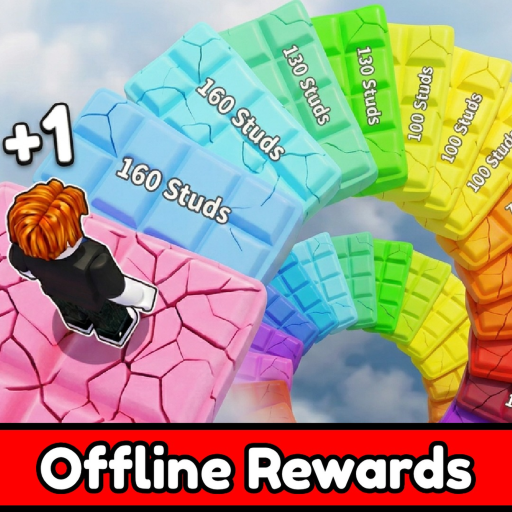
+1 Jump Crunchy ASMR Escape! is a jump-power simulator by Sky High Sims that launched on Roblox on July 22, 2026 and passed 44.5 million visits by October 7, 2026. Every step your avatar takes grants +1 Jump; satisfying ASMR squish-and-crunch objects along the course pay extra rewards; training and upgrades raise your jump ceiling; and reaching the finish converts all of that into Wins. The course is organized into zones with trampolines for free height, and the official page promises more zones, trampolines, and ASMRs in every update — the October 7, 2026 listing touch is the latest signal.

Every guide on this site is built on that loop and on sources you can audit: the official Roblox page, Roblox's public APIs, and dated community trackers. Where the game keeps a number inside its own UI, the guide hands you the check instead of a made-up value.
The directory

Six guides, six player problems

Each entry summarizes what the guide settles and who it is for — open the one that matches your session.

Start here

How to Play

The complete official loop in ordered steps: move to build Jump from your very first stride, use training to raise the ceiling, collect ASMR object rewards on the way, and bank Wins at the finish. Its troubleshooting section separates Roblox availability problems, route confusion, and reward questions so a stuck session gets back on track in one read.

Best for: First session, returning players, anyone whose Jump counter or route is misbehaving

The goal

How to Get Wins

Wins are the game's headline currency and the finish is the only place they are earned. This guide turns the finish-to-Wins relationship into a non-numeric course checklist — build Jump through movement, keep the finish as the current goal, and fix the common stuck states — so you convert steps into banked Wins without waiting for a magic threshold that no source has ever documented.

Best for: Players staring at a distant finish, or farming Wins run after run

Lever 1

Upgrades

The description promises powerful upgrades; the game shows their real costs and effects only in its own menu. This guide gives the goal-first decision framework: pick the upgrade that serves your immediate goal — course progress, the finish, or the next unlock — compare the visible effects, and skip any ranking that cannot name its patch date.

Best for: Choosing what to buy next without wasting early currency

Lever 2

Zones

Zones are the course's chapters and its progress markers: new scenery means your jump power passed a gate. The guide explains how to read the in-game unlock prompts to identify the next area, why zone order is a personal checkpoint rather than a published list, and how each October 1-style update that adds zones resets what the community can map.

Best for: Route planning and checking whether an update opened new ground

Lever 3

Trampolines

Trampolines are the course's free-height feature, named twice in the official description: once as a current mechanic and once in the developer's promise of more to come. The guide covers what a trampoline can and cannot do for a run, a two-minute observation test that shows what your current Jump power turns one bounce into, and how to route through them toward the finish.

Best for: Using bounce pads deliberately instead of as decoration

Bonus channel

ASMR Rewards

Squish-and-crunch ASMR objects are the game's signature side channel: the description explicitly pays extra rewards for interacting with them, and new ASMRs unlock as you progress. The guide shows how to verify an object's reward in your own session, why they are worth a detour on every run, and how the unlock line ('Unlock New Satisfying ASMRs!') ties them to progression.

Best for: Maximizing rewards per run and understanding the ASMR unlock chain

Player hubOpen Progress Planner
Reading order

A path through the guides

  1. 1. How to Play — learn the loop once, properly.
  2. 2. How to Get Wins — point the loop at the finish.
  3. 3. Upgrades — spend early currency where it compounds.
  4. 4. Zones — read the course and plan the next gate.
  5. 5. Trampolines — take the free height on every route.
  6. 6. ASMR Rewards — never leave rewards on the table.
Beyond the guides

Pages that support every run

The Progress Planner keeps your eight-step session plan in local storage — no login, nothing leaves your browser.

The codes page holds the dated evidence behind the “no code system yet” verdict, so you never chase a fake string.

The update watch tracks the official title (last stamp: October 7, 2026) and lists what to recheck after each update.

The wiki hub collects the game-at-a-glance facts — creator, growth, systems — with a source on every row.

FAQ

Guide hub questions

Which guide should a brand-new player open first?

How to Play. It walks the official loop — move, train, interact with ASMR objects, finish — and its troubleshooting section covers the stuck states new players actually hit, from a Jump counter that seems frozen to a finish you cannot reach yet.

How do the six guides fit together?

How to Play is the core loop; How to Get Wins is the goal; Upgrades, Zones, and Trampolines are the three levers that raise your jump power and open the course; ASMR Rewards is the bonus channel on top. Read them in that order and the game's whole progression tree is covered.

Do the guides include upgrade costs and reward amounts?

No invented ones. Sky High Sims has never published a stat table, so where a number only exists inside the game UI, each guide gives you the exact check to read it in your own session — and flags anything an undated source claims without evidence.

Where do I track goals across sessions?

The Progress Planner saves a local eight-step checklist in your browser — goals, rewards claimed, and the next visible action — so a plan survives closing the tab. No account needed.

Start with How to PlayOpen Progress PlannerWiki hub